 Task Mike
Catch the thought. Get the thing done.
Task Mike is the iPhone to-do app for ADHD brains. It saves every idea the second you have it, then helps you start the task you keep putting off. Speak it, sort it later, begin with one tiny step.
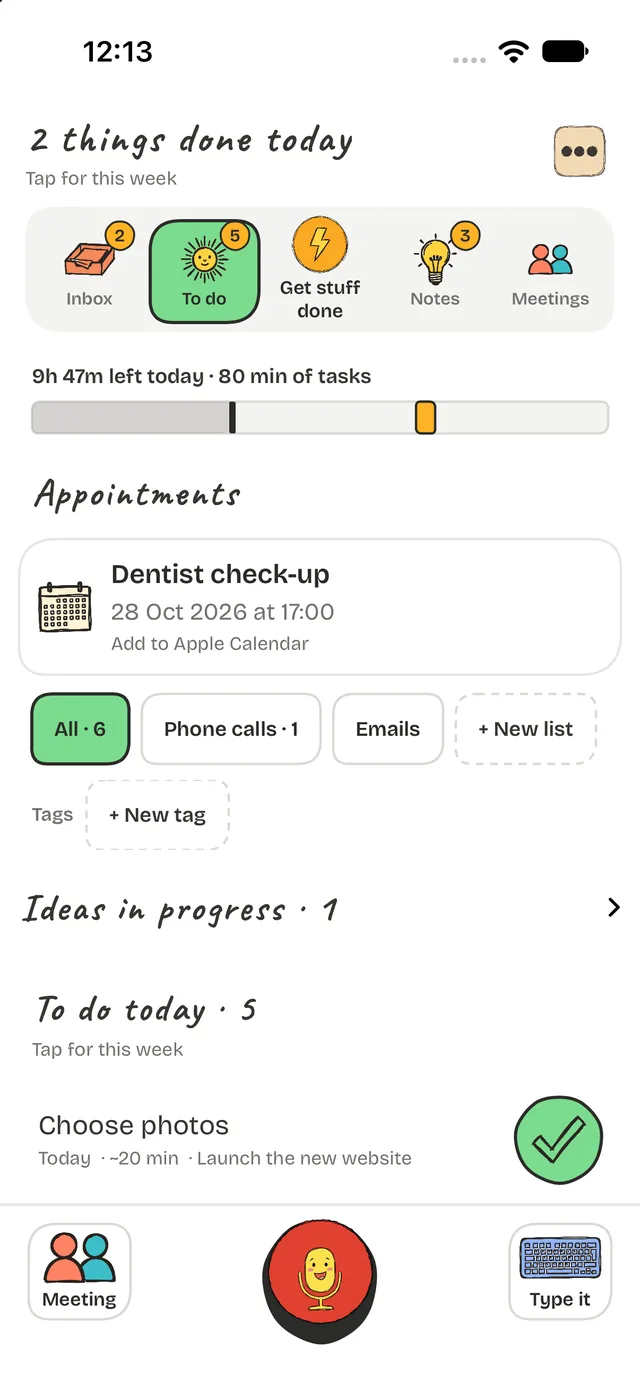

Your brain isn't lazy. Your to-do list is just too loud.
Procrastination with ADHD is rarely about willpower. A long list shouts everything, now. Most productivity apps ask you to organise a thought before you have even finished having it, so the thought is gone and the list is longer.
Task Mike turns that around. Catch first. Decide later. Start small.
Three steps. That's the whole system.
Hold and speak
Press the big button and say it. Or type it. Your thought is saved before it can slip away.
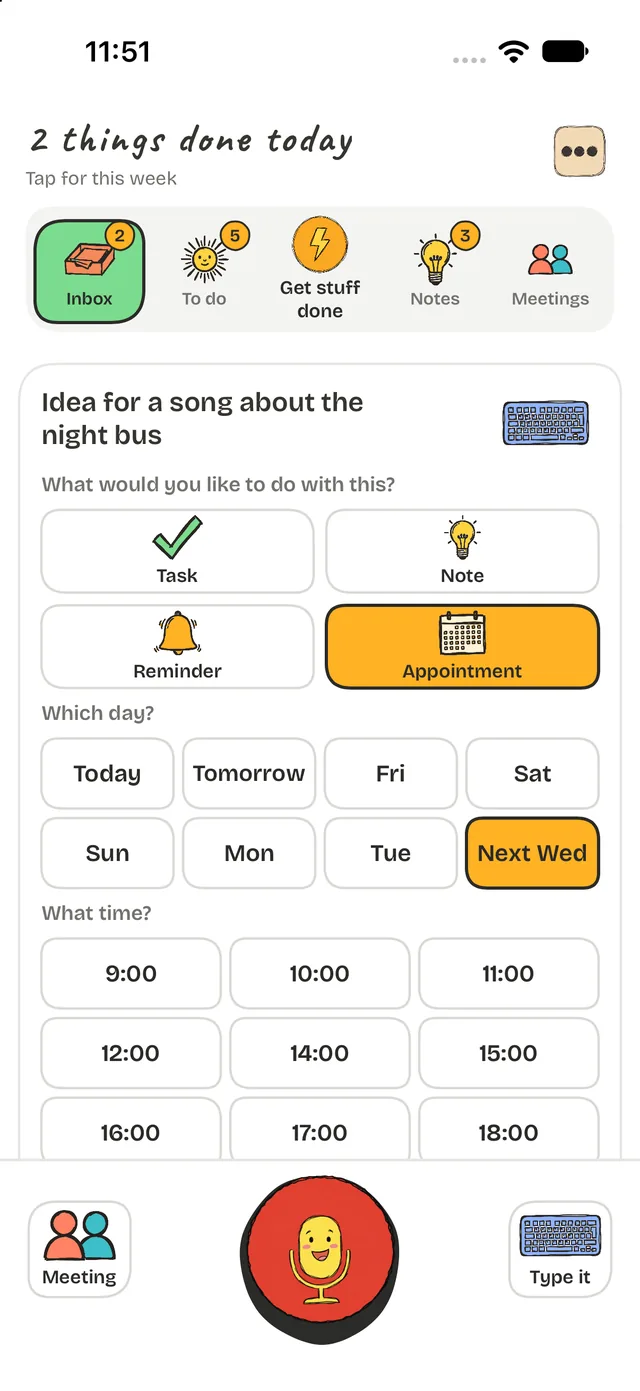
Sort in two taps
Note, task, reminder or appointment. Pick a day, pick a time, done. Or leave it in the Inbox until your head is quieter.
Do one thing
Task Mike picks one task, shrinks it to a tiny first step and keeps you company while you start.
Catch it before it's gone
The best idea arrives while you're in the shower, on a walk or halfway through something else. Hold the button and talk. Task Mike keeps your original recording and turns your voice into text on your iPhone.
- Voice or typed capture, whichever you can manage right now
- Home Screen and Lock Screen widgets, the Action Button, Siri and Apple Watch
- Paste text or share from other apps into your Inbox
Start without the stare-down
Task paralysis is real. The hard part is the first two minutes, so that's what Task Mike makes easy.
Shrink It
Keep moving a task? It's probably too big. Shrink It turns it into a tiny first step you can do right now.
Just pick one thing
Too many choices to choose? Task Mike picks a task for today. Want an easier one? Ask for a Quick Win.
Body double
Work with Mike beside you. He checks in while you work, and you can invite a friend to check in too.
- Tomato Timer: 25 minutes on, 5 off
- 15-minute sprint
- Do One Now: ten minutes
- Gentle focus chime
- Points, streaks and freeze days
- A low-energy day mode
See your day, not a wall of tasks
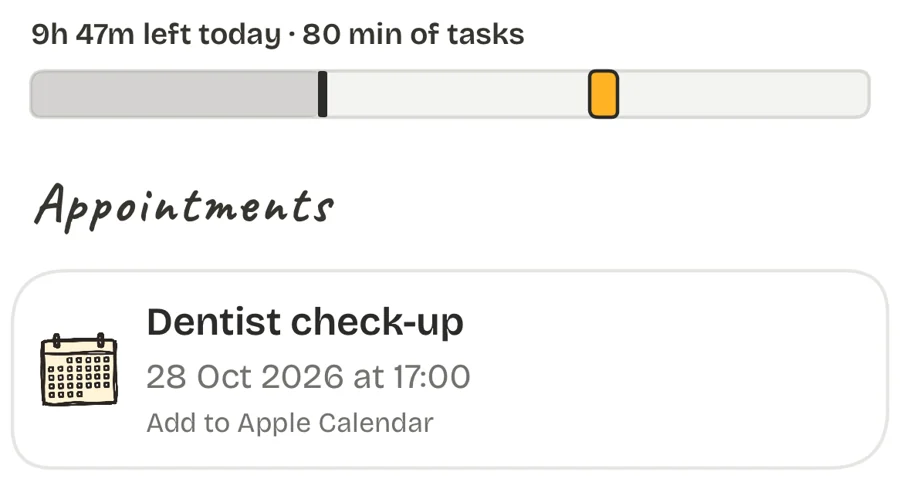
One thin bar shows the day: what has already gone, the appointments ahead and a line that reads like "5h 20m left today, 80 minutes of tasks". It's a quick, honest answer to "can I fit this in?"
- Today shows what matters now, with the rest tucked away
- No wall of red. Overdue tasks get a friendly "still want these?"
- Appointments in two taps: pick the day, then the time, straight into Apple Calendar
Big goals, broken into tasks
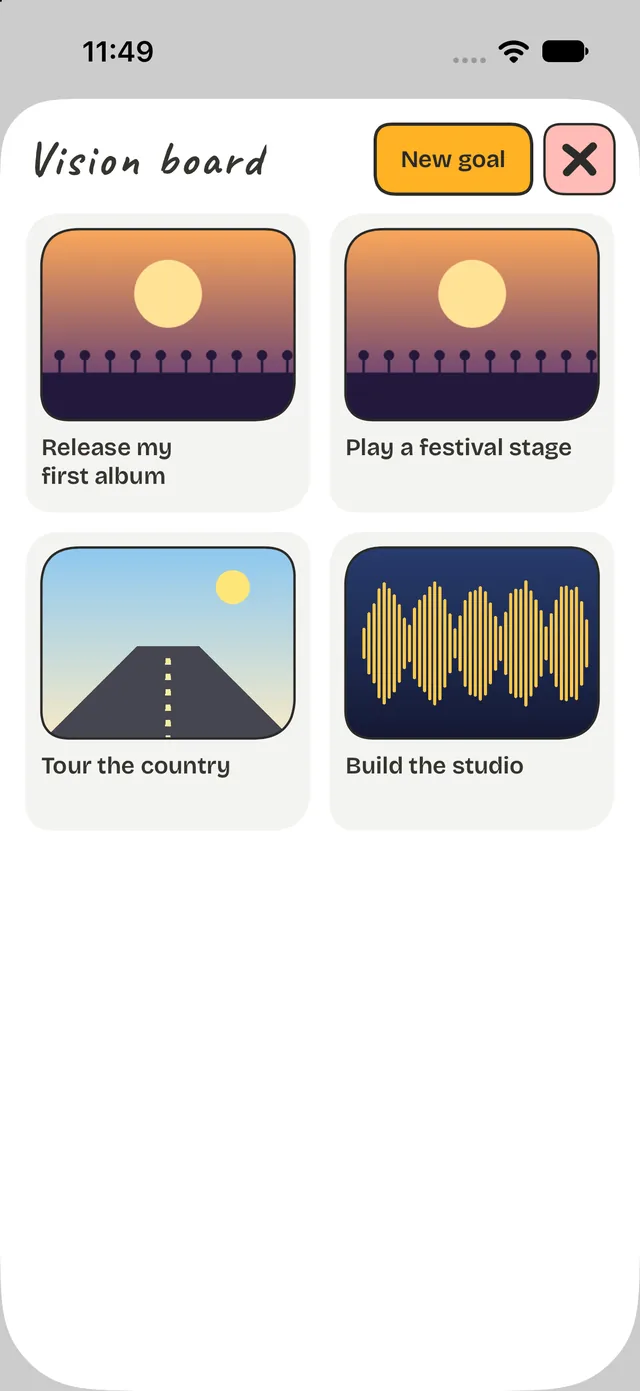
Dreams need somewhere to live that isn't your to-do list. The vision board holds the big things you want, with pictures and a few words about why they matter.
When you're ready, break any goal into tasks. They land in your To do list, so a vision turns into the next small step and then into getting stuff done.
- Add up to ten pictures to every goal
- Write why it matters, in your own words
- Break it into tasks and tick them off as you go
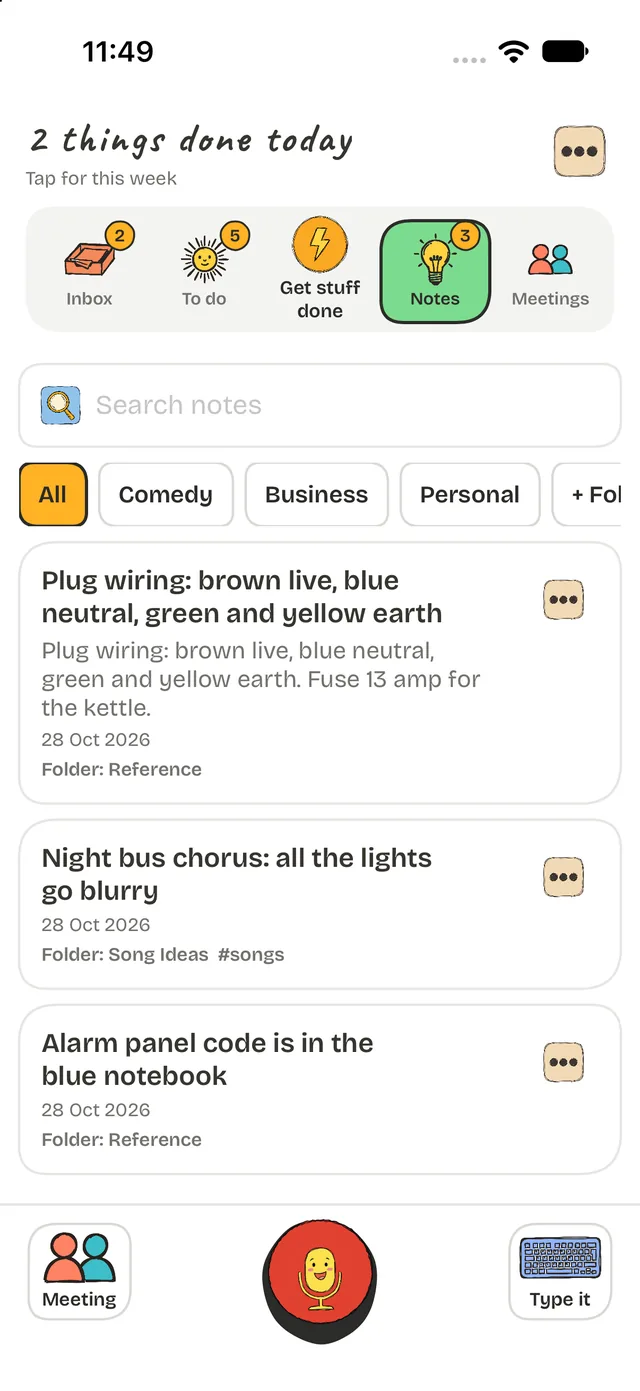
Notes that stay findable
Plug wiring, a song line, the code for the alarm. Put notes in folders, add hashtags when a thought belongs in more than one place, and search the words you remember.
- Folders, hashtags and search
- Private notes locked behind Face ID
- Export your notes as Markdown for Obsidian
Gentle, private and on your side
Nothing in Task Mike scolds you for taking a break. Reminders are optional, a missed day isn't a failure, and coming back after time away counts as a win.
No account
Open it and start. There's nothing to sign up for and no ads.
Nothing collected
The developer collects no data from the app. Your thoughts stay on your iPhone.
Works with Apple
Calendar, Reminders, widgets, Siri, Apple Watch and dark mode, all built in.
Questions people ask
Is Task Mike an ADHD app?
Task Mike is a to-do and organisation app designed around how ADHD brains work: catch thoughts fast, decide later, start with one tiny step and keep the day visible. It's a productivity tool. It doesn't provide medical advice or treat ADHD.
How does Task Mike help with procrastination?
It shrinks a stuck task into a tiny first step, picks one thing for you when you can't choose, runs a 25-minute Tomato Timer, and gives you Mike as a body double who checks in while you work.
What is body doubling?
Body doubling means working alongside another presence, which many people with ADHD find makes it easier to start and stay on a task. In Task Mike, Mike checks in while you work, and you can invite a friend to check in too.
Do I need an account?
No. There's no account, no ads and no tracking. The developer collects no data from the app.
What is the vision board for?
It holds your big goals with pictures and a few words about why they matter. Each goal can be broken into tasks that appear in your To do list, so a dream turns into a next step.
Does it work with Apple Calendar, Reminders and Apple Watch?
Yes. Appointments can be saved to Apple Calendar, tasks can sync with Reminders, and Task Mike has widgets, Siri and Apple Watch support.
How much does it cost?
The current price is always shown on the App Store page.
Start with one thought
Hold the button. Say the thing. Task Mike holds it until you're ready.